Planning Workflow
System Overview
System Overview is the main health check for the project and shows sources, downstream distros, project details, loading and warnings.
Purpose of the System Overview
System Overview is the main health check for the project. It shows the power hierarchy, source loading, distro loading, downstream relationships, unassigned distros and active warnings.
Use this tab whenever you need to understand the complete temporary power system at a glance. It is also the best place to review the project immediately before exporting reports.
Project information panel
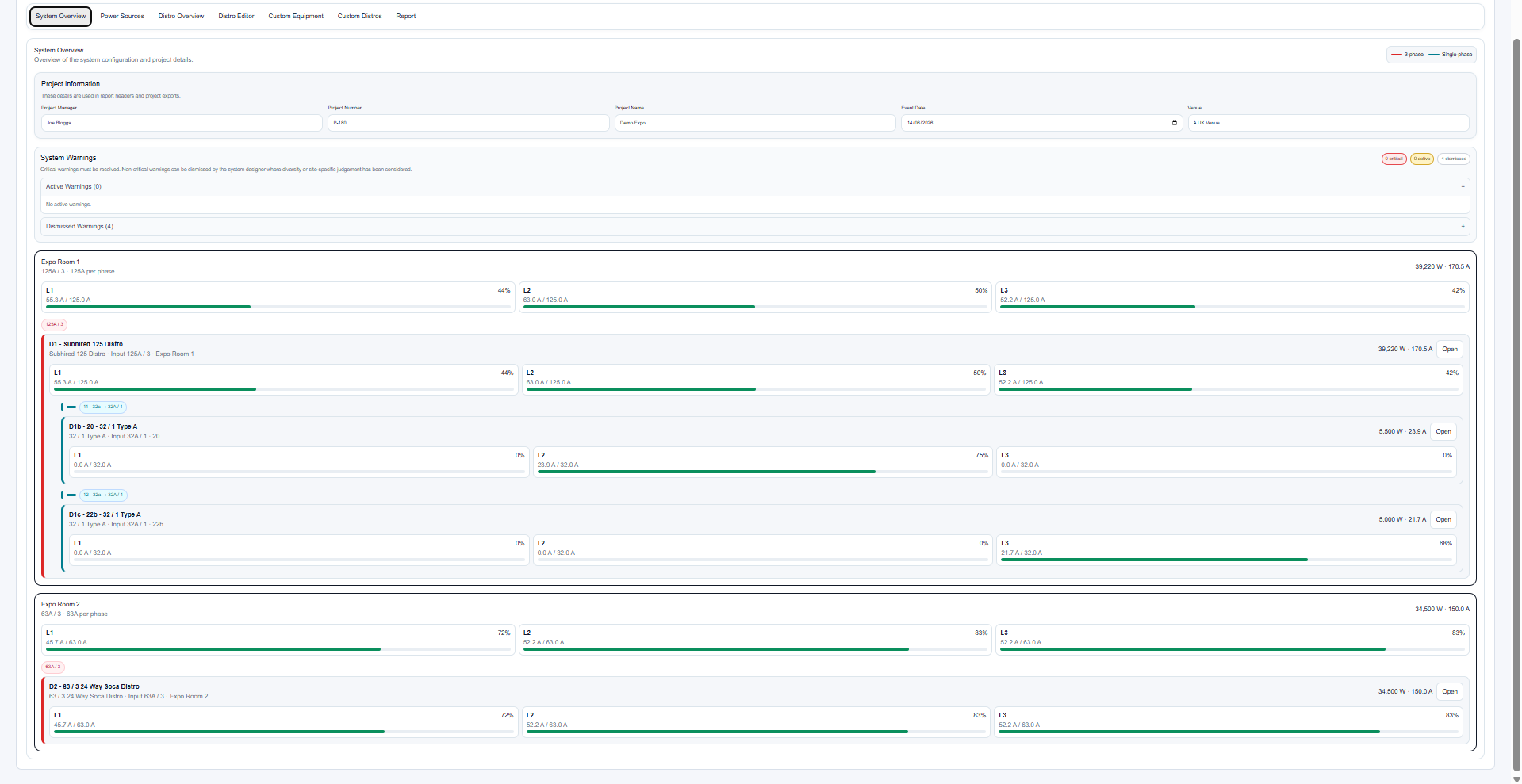
The project information panel stores the details used by reports: Project Manager, Project Number, Project Name, Event Date and Venue.
These values should be completed early and checked again before reports are exported. Report headers use this information automatically, so there is no need to re-enter it in the Report tab.
Visual system tree
Each manual power source appears as a parent card. Assigned distros appear beneath the source, with downstream distros nested under their parent outputs.
Open buttons on distro cards jump directly to that distro in the Distro Editor. This is useful when a warning appears in the overview and you need to correct the relevant output or equipment assignment.
Visual highlights help distinguish single-phase and three-phase items when reviewing the system hierarchy.
Expanding and collapsing sources
Source cards can be expanded or collapsed individually, with Expand all and Collapse all controls above the system tree. System Overview opens expanded and remembers its current expansion state while you move between planner tabs.
A collapsed source keeps its identity and total draw visible while hiding the detailed distro tree, making large projects easier to scan.
Phase loading and capacity
Phase load cards show the current loading for L1, L2 and L3. The percentage indicator compares current draw against the relevant source or distro rating.
If a high-current distro is fed from a lower-rated high-current source, the displayed phase cap reflects the upstream source limit. This prevents a downstream board being interpreted as available at its full connector rating when the upstream source is smaller.
Unassigned distros
Distros that have not been assigned to a source are shown in the Unassigned Distros section. This does not delete or disable them; it simply means they are not currently part of the connected system hierarchy.
Assign a source before issuing reports so the full system hierarchy is clear and all downstream loads are included in source summaries.
An unassigned distro may represent an incomplete design. Review this section before sending reports to site teams.
Related articles
Send feedback or request extra documentation for this topic.