Equipment & Templates
Custom Distros
Custom distros allow users to define temporary distro layouts with single-phase, three-phase and Socapex outputs for use within the current project.
Purpose of custom distros
Custom distros are used when a required distribution unit is not available in the company library or when a project needs a temporary layout. They are project-specific templates and appear in Distro Overview with a Custom prefix.
Use custom distros for one-off breakouts, client-specific boards, temporary rack power layouts or bespoke distribution that should not become standard company stock.
Use the company library for repeatable stock and custom distros for project-only designs.
Creating the custom distro
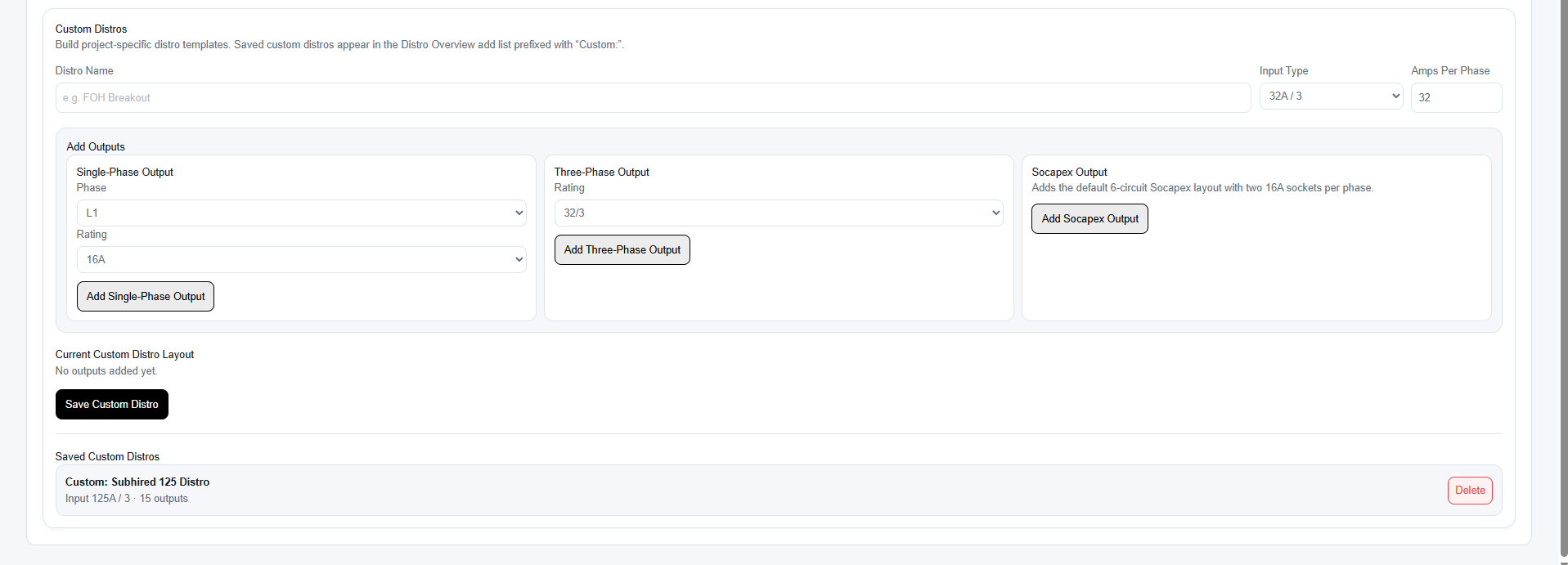
Start by entering a distro name and choosing the input type. The selected input determines the input connector label and the amps per phase used for calculations.
Then add outputs to define the layout. Outputs can be single-phase, three-phase or Socapex. The order outputs are added is the order they appear when the custom distro is used.
- Open Custom Distros.
- Enter a clear distro name.
- Select the input type.
- Add the required outputs.
- Reorder or remove outputs if necessary.
- Select Save Custom Distro.
Output types
Single-phase outputs are assigned to L1, L2 or L3 and can be created with common ratings. Three-phase outputs distribute connected load across all three phases. Socapex can be added as a single output or a twin pair whose matching circuits share breakers.
Choose output types that represent the physical distro accurately. Reports and calculations rely on the template being a good representation of the real unit.
- Use single-phase outputs for 13A, 16A, 32A or similar single-phase feeds.
- Use three-phase outputs for three-phase downstream feeds or three-phase loads.
- Use Socapex outputs where the physical distro provides Socapex connectors with individual circuits.
Single-phase distro rules
A distro with a single-phase input behaves as a single-phase board throughout the planner. Three-phase and Socapex outputs cannot be added to that model, preventing invalid downstream phase relationships.
Protection and copying devices
Incomer and output protection can be stored within a custom distro so it is available automatically when the model is added to the project. Protection supports fuses, MCBs, MCCBs, RCDs, RCBOs and an MCB with associated RCD protection.
The combined MCB and RCD option records the MCB poles, curve, rating and breaking capacity separately from the RCD type, earth-leakage setting or available range, and instantaneous, fixed or adjustable time delay.
Copy a configured output device, then use Paste protection to choose compatible destination outputs within the same distro. Protection can only be pasted to outputs with the same rating. Socapex selection is shown once per Socapex output because all six matching circuit breakers are treated together.
Using saved custom distros
After saving, the custom distro appears in Distro Overview. Add it to the project exactly like a company library distro, then assign a source and open it in the Distro Editor.
Each custom distro added to the project becomes a separate instance, so you can use the same custom template multiple times with different names, locations and assigned equipment.
Editing and deleting custom distro templates
Saved custom distro templates can be reopened and edited from Custom Distros. Updates apply to that project template; existing project instances are not silently rebuilt.
Templates can also be deleted from the tab. Deleting the template removes it from the add list for future use in the project.
Before deleting, check whether the template may be needed again later in the design process.
Deleting a custom template does not remove company library distros, but it may prevent you from adding the same custom layout again without rebuilding it.
Related articles
Send feedback or request extra documentation for this topic.